Platform overview: the sidebar & where things live
The two levels
When you log in you land on the organisation dashboard: a list of every event, your team and roles, and your plan and billing. Open any event and you drop into its Event Hub, the control centre for that single event. A switcher at the top lets you jump between events without going back to the dashboard.
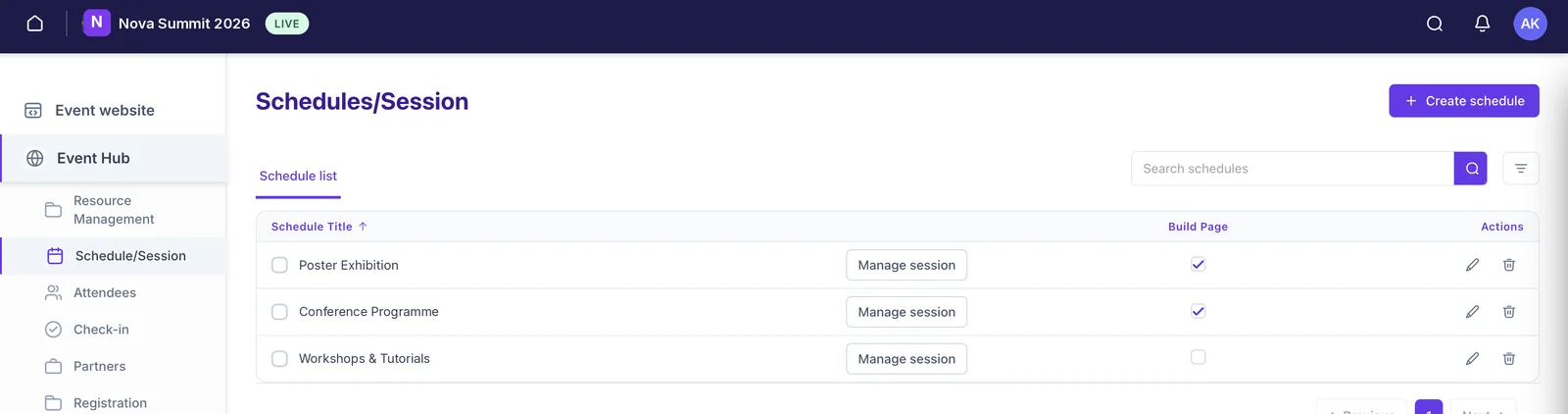
The Event Hub sidebar
Each section of the left sidebar maps to one job:
Event website
The no-code builder for your public event site, hero, programme, speakers, sponsors, registration, and more. See Add & manage your event website pages.
Resource Management
The shared library for this event: images, documents and video you upload once and then pull into pages and sessions.
Schedule/Session
Your programme. An event can hold several schedules, each with its own sessions, sub-sessions, tags and locations. See Build your event schedule & sessions.
Attendees
Everyone at the event, attendees, speakers and staff, added individually or in bulk. See Import attendees, speakers & sponsors in bulk.
Check-in
QR check-in on the door and the record of who arrived and when. See How attendees check in with QR codes.
Partners
Sponsors and exhibitors, their tiers, profiles and the showcase they get in the app.
Registration
Registration forms and attendee groups. Paid ticketing connects through a provider like Ticket Tailor (available on request). See Connect Ticket Tailor.
Communications
Push notifications, in-app messages, and email, the tools for reaching attendees before and during the event.
Analytics
Live dashboards for active users, engagement, devices, page views, session insights, feedback and storage.
Event Settings
Event basics, branding, roles for this event, and integrations.
Still need help? Reach our team and we'll get you sorted.
Contact support →