Share private files with an attendee
Why this exists
Run an international conference and a quiet second job appears alongside the programme: chasing documents. Visa invitation letters go out, passport pages come back, accepted papers arrive, accessibility and dietary requirements need recording, forms need signing. None of it belongs on a web page, and all of it ends up scattered across an inbox where it is hard to find and harder to delete.
The vault gives each of those documents one place to live, attached to the person they belong to, visible to your team and to nobody else.
Opening someone’s vault
-
Find the person
Open Event Hub → Attendees and click into the person you need, or search by name.
-
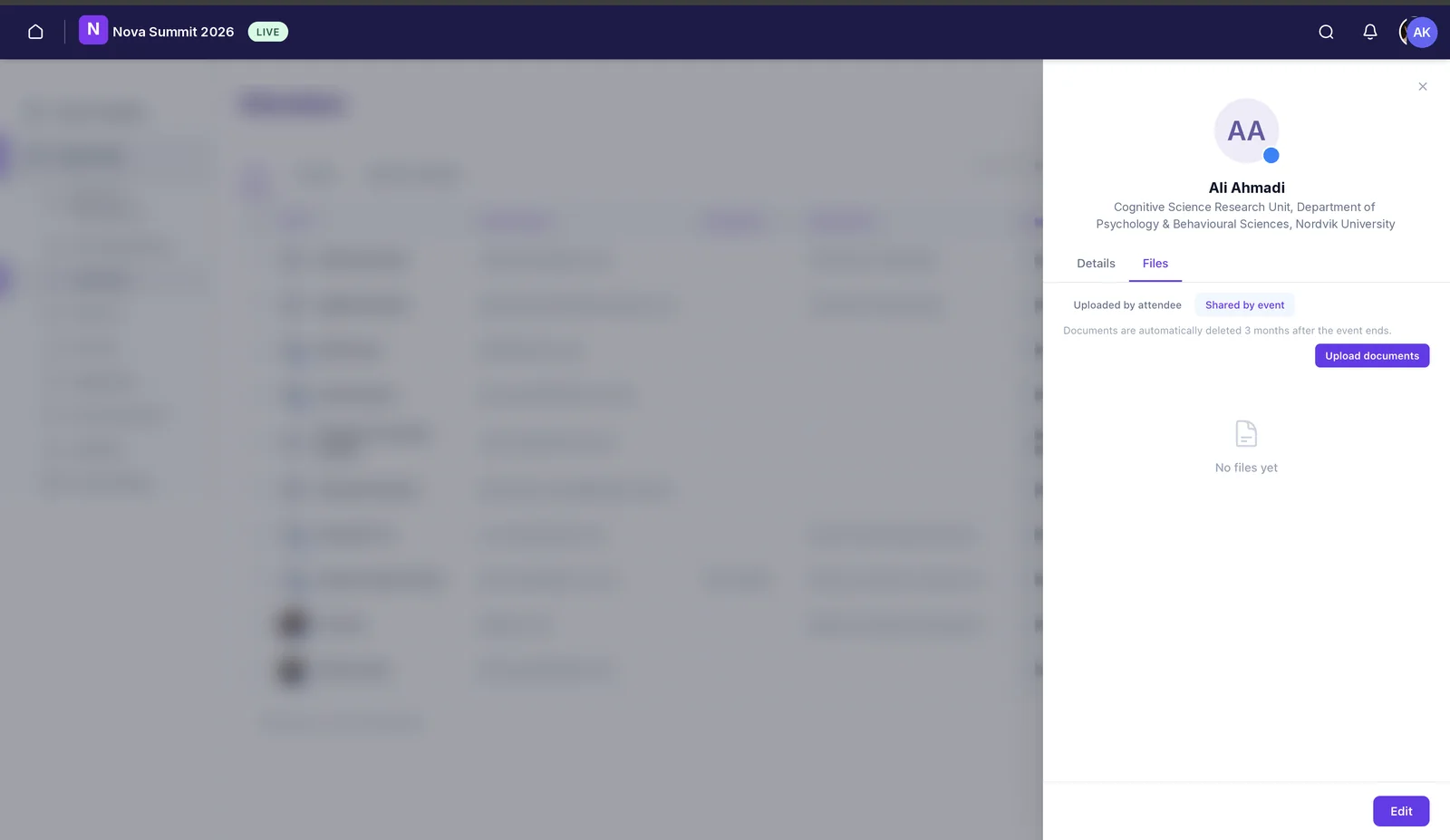
Switch to the Files tab
Their profile opens on Details. The Files tab beside it holds the vault.
-
Read the right side of it
Uploaded by attendee is what they’ve sent you: a passport page, a signed consent form, a final paper. Shared by event is what you’ve sent them: the invitation letter, joining instructions, a certificate. Knowing which side you’re looking at saves a lot of confusion when someone says they “already sent it”.
-
Add a document
Use Upload documents to put a file in their vault. They’ll find it in the same place from their side, so there’s no email to forward and nothing to go missing in a thread.
What belongs in here
- Visa invitation letters and the passport details needed to produce them. The single most common use, and the one with the tightest deadlines.
- Accepted papers, abstracts and posters, where the author’s final version needs to reach you privately before anything is published.
- Signed forms: consent, media release, code of conduct, liability.
- Accessibility and dietary requirements, which are personal information and shouldn’t be sitting in a shared spreadsheet.
- Certificates and letters of attendance going the other way, after the event.
The three-month rule
Documents in the vault are automatically deleted three months after the event ends. That isn’t an inconvenience to work around, it’s the point. Under GDPR you shouldn’t be holding someone’s passport scan indefinitely because nobody remembered to clear it out, and automatic deletion means you don’t have to rely on remembering.
Still need help? Reach our team and we'll get you sorted.
Contact support →